Kakobuy Catalog or Google Sheets: Which Format Fits Your Research?
A catalog makes product browsing more visual, while a spreadsheet remains better suited to data editing. Compare their strengths and the checks neither format replaces.

The choice between a sourcing spreadsheet and a product catalog is really a choice about the work you want to do. Are you maintaining a dataset, or trying to find and evaluate a few products within it?
Google Sheets handles structured information well. A web catalog can make that information easier to explore through images, categories and individual pages. Neither format automatically improves the reliability of a seller's description or removes the checks required before buying.
The practical advantages of a Kakobuy-style catalog appear mainly during discovery. You can move from a broad product group to a listing without interpreting a dense row of cells first. The transaction itself remains separate: an external shopping agent or platform handles the purchase and its service conditions.
Where a spreadsheet starts to feel cumbersome
A small sourcing sheet is straightforward. As it grows, useful details may be scattered across product names, image links, source URLs, price columns and notes. A reader has to reconstruct those fields into a complete picture of each item.
On a phone, this often also means moving horizontally between columns. Long links and small thumbnails make scanning harder, and repeatedly opening source pages can interrupt the comparison. The sheet can still be an effective store of information even when it is not the most comfortable browsing interface.
A catalog approaches the same collection differently. Product cards give an initial visual overview; categories reduce the pool; dedicated pages collect a listing's details. These are presentation benefits, not evidence that the underlying items have been independently approved.

Match the format to the task
| Your task | What a spreadsheet offers | What a catalog can offer |
|---|---|---|
| Scan many items | A compact, information-dense grid | Images and category pages that help distinguish styles |
| Investigate one item | Source links and related cells | A dedicated page grouping available details |
| Research on a phone | Access to the dataset, sometimes with horizontal scrolling | A vertical responsive layout if implemented well |
| Explore a category | Filters, tabs or category columns | Direct pages for product families |
| Understand the listing | Fields spread across a row | Context collected around the item |
| Compare candidates | Strong structured, side-by-side comparison | Convenient page-to-page inspection |
There is no need to discard a spreadsheet to gain those browsing benefits. It remains useful for bulk editing, custom sorting, maintaining personal notes or analyzing raw fields. A catalog-first approach simply places browsing ahead of data manipulation.
For example, the reference Watches category offers a category-based entry point instead of requiring a search across every row containing a watch-related term. The Accessories section similarly groups bags, belts, wallets and related items for visual review. These links lead to the reference catalog; their organization should not be assumed to describe every other Kakobuy-related site.
Four ways a catalog can reduce browsing friction
Recognize a candidate before opening it
A product image can distinguish color, silhouette and visible design faster than several nearly identical names. This is helpful for clothing and footwear, where appearance matters during the initial scan. It remains only an initial selection tool: a useful photograph is not a substitute for dimensions or a clear source description.
Keep the important fields on a narrow screen
A vertical product page can suit mobile browsing better than a wide grid. That advantage depends on implementation. Large images, slow pages, tiny type or awkward navigation can still make a catalog difficult to use. “Web-based” and “mobile-friendly” are not interchangeable claims.
Stay inside the relevant product family
Categories remove unrelated products from the first view. Someone investigating shoes does not need to begin by sorting past jackets and watches. Short searches such as “shoes” or “t-shirt” can then narrow results further. If a natural-language sentence yields poor results, shorten it to the main product term and a useful qualifier.
Separate discovery from close inspection
The card answers “is this worth opening?” The product page supports “is this worth keeping on my shortlist?” Distinguishing these stages avoids studying every available field before deciding whether the item is relevant at all.
A better layout does not create missing facts
A useful product page may show the product name, images, variations, stated pricing, seller or source information, original marketplace link and QC material. Some listings will contain only part of that information.
Absence should remain visible in your notes. A page without dimensions does not establish a standard fit. A missing material description cannot be resolved by its polished layout. Likewise, a displayed price may not include the external agent's services or delivery.
When comparing pages, collect the same fields for each candidate. Mark missing values as unknown. This prevents the best-looking page from gaining an undeserved advantage over a more plainly presented but better-documented listing.

Use QC material to ask narrower questions
A catalog can make inspection photos more convenient by placing them beside the relevant listing. Their proper role is to provide visual evidence, not to prove every aspect of quality.
Check the available views for:
- Seams, stitching and loose threads.
- Visible stains, marks or surface flaws.
- Shape and symmetry.
- Alignment of prints or other graphics.
- Color differences, allowing for lighting.
- Visible buttons, buckles, zippers and closures.
- Footwear soles and finishing.
- Labels, tags and packaging, where shown.
Multiple angles can answer more than one isolated photograph. Even then, camera position and lighting affect interpretation. Photographs cannot independently establish precise composition, long-term durability, comfort or performance after use.
If a feature matters but is not shown, put it on a questions list. Obtain clarification through the purchasing service where possible, or choose a candidate with more complete evidence. Avoid turning the lack of a visible problem into proof that no problem exists.
Fit still depends on actual dimensions
One reason to keep structured comparison notes is that familiar size labels can be misleading. Manufacturers and batches may use different dimensions for the same S, M or L. Shoe size systems can also differ.
| Item | Measurements to request or record | Practical comparison |
|---|---|---|
| T-shirt or top | Chest width, body length and shoulders | Compare with a well-fitting garment |
| Jacket | Chest, shoulders, sleeves and length | Allow for the layers you intend to wear |
| Pants or shorts | Waist, hips, rise and inseam | Use an existing pair with a suitable fit |
| Shoes | Foot and insole lengths | Check how the seller measured them |
| Accessories | Physical dimensions and weight if provided | Do not judge scale solely from photographs |
Use consistent units and measurement methods. A flat garment width differs from a circumference; an insole length is not identical to every other shoe-length measurement. Where those details are unclear, ask before treating numbers as directly comparable.
A cleaner interface reduces the effort of finding specifications. It does not make an unknown specification safe to ignore.
Build a research workflow that reaches beyond the catalog
For an international order, browsing is only the first stage. A practical sequence is:
- Enter the relevant category or use a concise product keyword.
- Keep several reasonable candidates instead of choosing the first result.
- Read the available descriptions and images.
- Compare dimensions, variations and QC evidence.
- Open the external purchasing platform for the selected item.
- Confirm its current product, service and shipping information.
- Review requirements for the destination before completing the order.
Shipping depends on more than the listing price. Packed weight and dimensions, route, carrier, destination and service choice can affect the quote. Import taxes, restricted-goods rules and biosecurity requirements may also apply and can change.
A buyer in the US should not assume that a UK, EU, Australian or New Zealand shipment has identical conditions. Check the relevant current rules and the actual route being offered. If the service uses DDP or DDU descriptions, confirm which charges are included and which may remain payable at the destination. Catalog information is not a final landed-cost calculation.
Choose one format—or use both deliberately
A spreadsheet-first workflow is suitable when you need to edit rows, build a personal dataset, apply extensive sorting or work directly with structured fields. A catalog-first workflow suits visual discovery and individual listing review. Using both can combine easier browsing with more disciplined comparison notes.
The important distinction is not that one tool contains magically better sourcing information. It is that the presentation can fit—or obstruct—the task. A large grid favors data work; a well-designed catalog favors exploring that data.
Common questions
Is a web catalog always an upgrade over Google Sheets?
No. It can reduce browsing friction, but spreadsheets remain strong for editing, sorting and side-by-side structured comparison. Decide according to the task rather than the technology label.
Can I compare items before leaving for the ordering platform?
Yes. Compare visible design, measurements, stated specifications, price and available QC material. Keep missing information unresolved rather than inferring it from a photo.
Do QC photos settle the quality question?
They help with visible characteristics and defects. They cannot establish exact composition, future comfort or long-term performance on their own.
Why not select the size I usually buy?
A familiar label may correspond to different dimensions. Compare the seller's measurements with your own requirements or a suitable item you already own.
Does the product page show my final shipping cost?
Not necessarily. The external service calculates the applicable quote according to the parcel, destination and route. Confirm that quote and current import requirements there.
The useful advantage is a clearer decision path
A sourcing catalog works best when it lets you move smoothly from category to shortlist to evidence. Keep the spreadsheet when it helps you manage data, and use the visual interface when it helps you discover relevant listings. Whichever format you choose, measurements, QC limitations and external ordering terms still need the same careful attention.
Explore Kakobuy
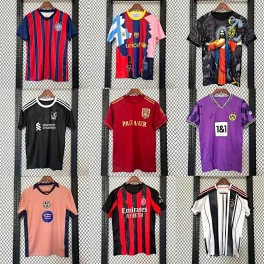
2026 Soccer Jerseys: Real Madrid, Barcelona, Arsenal - Unisex

ACNE STUDIOS Smiley Chunky Sneakers Off-White Leather Unisex

AOBINKA Grey Cotton Floral Hooded Cardigan, Unisex Cozy

Denim Tears 3D Floral Hoodie - Grey Unisex Streetwear

SUPREME Black Boxer Briefs: Cotton, Breathable, Streetwear Style

Supreme Red Jogger Pants with Classic Side Logo - Unisex
2026 Soccer Jerseys: Real Madrid, Barcelona, Arsenal - Unisex

Nike Classic Red Cotton Tee: Breathable, Minimalist Logo Design

Ralph Lauren Grey Cotton Baseball Cap | Unisex Summer Hat

YEEZY Bright Yellow EVA Clog Sandals: Unisex Summer
SUPREME Black Boxer Briefs: Cotton, Breathable, Streetwear Style
Supreme Red Jogger Pants with Classic Side Logo - Unisex
2026 Soccer Jerseys: Real Madrid, Barcelona, Arsenal - Unisex

Stussy Black Hooded Jacket: Cotton, Unisex, Warm & Windproof

Gucci Light Blue Knit Cardigan: Soft, Warm Women's Sweater

Amiclams Cream Hoodie: Unisex Cotton Sweatshirt with Red Heart
Supreme Red Jogger Pants with Classic Side Logo - Unisex

Birkenstock Fleece Sandals: Cozy Winter Unisex Shoes
2026 Soccer Jerseys: Real Madrid, Barcelona, Arsenal - Unisex

Canada Goose Light Blue Down Jacket: Unisex Winter Coat

STUSSY 90s Vintage Black Puffer Jacket - Unisex Winter Hooded Coat

ESSENTIALS Off-White Fleece Cargo Pants, Distressed Knee, Unisex

Amiclams Red Wool High-Neck Sweater | Unisex Winter Warm
